
Cool Launcher Pro
Game Studio1314Personalization
4.377.00 Reviews
- Version
- 2.0.1
- Installs
- 100.00K
- Age Rating
- Teen
Screenshots
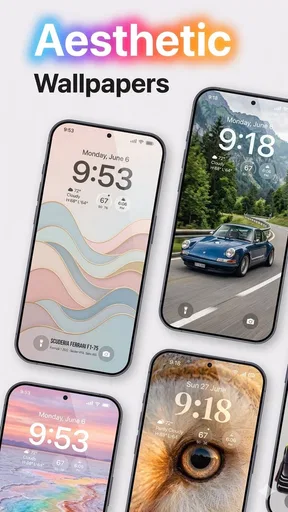
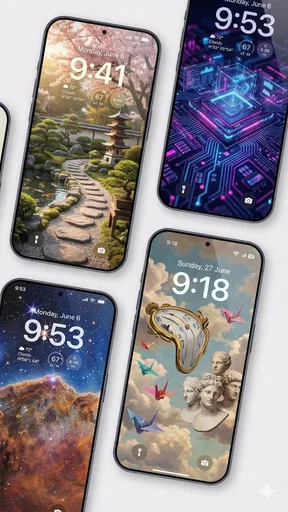
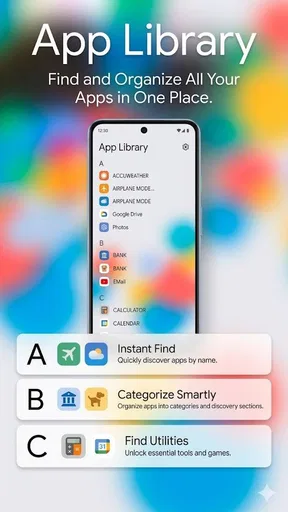
Our Review of Cool Launcher Pro
 Analysis by Appyee
Cool Launcher Pro caught my attention because it focuses on one clear idea: turning the phone’s visual background into something more personal through video wallpapers. I tested it as a personalization app rather than treating it like a complete replacement for every part of the Android experience, and that distinction matters. Its appeal is not simply that the screen can move; it is that a moving background changes the mood of a device every time I unlock it.
That effect is surprisingly noticeable. A static image can make a phone feel finished, while a video wallpaper makes it feel more like a small, living space. The app is made by Game Studio1314 and is available free of charge. It has reached over 100 thousand installs, with an average score of 4.3 from more than 600 ratings, so there is already a meaningful group of users trying the same visual approach.
Why the video-wallpaper capability matters
The strongest part of Cool Launcher Pro is its emphasis on animated wallpaper as a personal touch. Instead of choosing a picture and forgetting about it, I can use motion to create a different first impression whenever I pick up the phone. A slow visual loop feels calm, while a more energetic clip makes the home screen feel lively. The change is small, but it affects the phone’s character more than I expected.
This is especially useful for people who keep the same handset for a long time. New hardware can make a phone feel fresh for a few days, but a new background can change the experience without replacing anything. I found the feature more interesting when I chose a clip that matched how I actually use my phone, rather than selecting the most dramatic animation available. A subtle loop worked better for daily use than something visually busy.
The app belongs to the personalization category, and that is the right way to judge it. It is not primarily a productivity tool, a messaging app, or a complete visual redesign of every screen. Its value comes from making the device feel more like mine. If I only want a clean, motionless background, the phone’s normal wallpaper picker may already be enough. Cool Launcher Pro makes more sense when movement itself is the reason for changing the screen.
One useful way to think about it is as a mood-setting layer. I can choose something relaxing for a personal phone, a bright loop for a more playful look, or a restrained animation that adds motion without becoming distracting. That choice has a practical consequence: the best result is not necessarily the most colorful one. The wallpaper has to remain comfortable behind icons and readable text.
What changes when the background is always moving
Animated wallpaper changes attention. Even a short loop can pull the eye toward the background when I am trying to find an app or read a notification. That makes composition more important than it is with an ordinary photograph. A visually dense clip may look impressive in a preview but become tiring after repeated unlocks.
I recommend judging a wallpaper in two situations: first with the home-screen icons visible, and then with the phone used normally for several minutes. A background that looks excellent on its own can compete with icon labels, widgets, or notification badges. The most successful setup I found left enough calm space around the areas where I usually tap.
There is also a difference between a moving wallpaper that feels intentional and one that simply loops. Repetition becomes obvious when the transition is abrupt or when the action constantly returns to the same strong visual point. For that reason, I would choose slower movement for a phone used throughout the day and reserve intense clips for a secondary device or a setup meant mainly to impress visitors.
Using it in everyday practice
My practical workflow was simple: open the app, explore the available visual direction, choose a background that suited the phone’s layout, and then live with it rather than changing it every few minutes. That last step is important. Personalization apps can encourage endless browsing, but the real test is whether the result remains pleasant after the novelty fades.
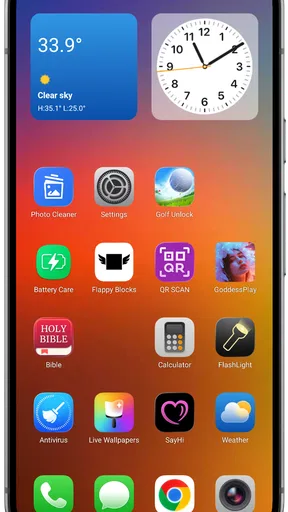
Before applying a video wallpaper, I would first look at the home screen as a workspace. If the first page is packed with icons, folders, and widgets, a bright animation may make the layout feel crowded. If the screen is relatively open, the motion has more room to work. I also prefer placing the most important shortcuts where the background is least active, because visual movement can make small icons harder to locate quickly.
A realistic example is a commuter who checks the phone repeatedly during the day. A dramatic looping scene might look attractive at home but become irritating when the device is unlocked dozens of times. A gentle animation with limited contrast is a better choice for that routine. It adds personality without turning every quick check into a visual interruption.
For someone who uses a phone mainly for photos, music, and social apps, the feature can be a pleasant finishing touch. The home screen is often seen only briefly, so the wallpaper does not need to dominate the experience. In my view, the app works best when it supports the phone’s identity rather than trying to become the main event.
Another useful workflow is to match the wallpaper to the season or to a temporary event, then switch back to a calmer choice afterward. That makes the feature feel purposeful instead of permanently noisy. I would also keep a simple backup image in mind, because a static alternative is useful when I want maximum clarity or when the phone needs to feel visually quiet.
The everyday scenario where it makes the most sense
The best scenario is a personal Android phone whose owner is bored with its appearance but does not want a complicated customization project. In that situation, a video wallpaper can create an immediate change with less effort than rebuilding the entire home-screen layout. I can keep familiar icons and habits while changing the atmosphere around them.
It also suits someone who enjoys showing personality through a device but does not want to use a loud case, a large widget arrangement, or a heavily modified interface. The moving background remains visible during short interactions and can be changed whenever the owner’s taste changes. That makes it more flexible than a physical accessory, even if the effect is more subtle.
I would be more cautious for a work phone. If the device is used for calendars, documents, navigation, and quick communication, visual calm may be more valuable than animation. A moving background can still work, but only if it stays restrained and does not interfere with reading. The app’s central capability is most enjoyable when the phone is personal rather than purely functional.
Trade-offs compared with ordinary wallpaper tools
The obvious alternative is the standard wallpaper selector already included with Android. That option is usually better for speed, simplicity, and a predictable static result. It also avoids the extra visual activity that comes with a video background. If I want a photograph of family, a solid color, or a minimalist pattern, the built-in tool may be the smarter choice.
Cool Launcher Pro has a different advantage: it makes motion the starting point. Instead of asking me to find a still image that looks good behind icons, it encourages a more animated style. That is useful for people who see the home screen as part of their entertainment and self-expression. The trade-off is that I have to be more selective, because movement affects readability and can make the phone feel less calm.
It should also be compared with full launcher replacements. A traditional launcher may offer detailed control over icon grids, gestures, folders, transitions, and app organization. That depth is valuable for users who want to redesign how the phone works. Cool Launcher Pro is a better fit for someone whose main goal is visual change rather than a new navigation system.
This distinction prevents disappointment. I would not install it expecting a complete productivity overhaul. Its strongest contribution is the wallpaper experience, not a promise that every part of the phone will behave differently. If the home screen already feels efficient and only looks dull, the app addresses that problem directly. If the home screen feels disorganized, a dedicated launcher with layout controls may be a better first step.
There is a similar trade-off with battery-conscious setups. Animated content naturally asks the phone to keep displaying motion instead of a still image, so users who prioritize the quietest possible visual setup should think carefully before making it their permanent choice. I would use a restrained background on a phone that is already heavily used during long days and save more elaborate visuals for situations where appearance matters most.
Screen readability is another practical concern. Dark or low-contrast icons may disappear against parts of a bright video, while a high-contrast animation can make the whole home screen feel restless. I would test the wallpaper with the actual icon theme and widgets already installed, not with an empty preview. That small check can make the difference between a polished result and one that looks messy.
Small decisions that improve the result
My first tip is to choose motion based on unlock frequency, not just visual appeal. If I unlock the phone constantly, gentle movement is easier to live with. If the phone is checked less often, I can tolerate a stronger visual statement. This turns the choice into a routine decision rather than a purely aesthetic one.
My second tip is to protect the information layer. I leave open areas behind the clock, common icons, and widgets whenever possible. A wallpaper should frame those elements, not compete with them. This is a non-obvious advantage of spending a few minutes arranging the home screen after applying the background: the same video can look either refined or chaotic depending on what sits above it.
My third tip is to treat the wallpaper as a temporary design choice. I do not need to find one animation that works forever. Changing it when the phone starts to feel stale is part of the appeal, while returning to a calmer option when I need focus keeps the feature from becoming tiring. The app is more useful when I see it as a flexible visual setting rather than a permanent commitment.
I would also test the setup in different lighting. A background that looks balanced indoors may feel too bright outdoors, while a dark animation can become difficult to appreciate in strong light. This is especially relevant for people who use the same phone at home, at work, and while traveling. A wallpaper that remains readable in all three places is usually a better daily choice than one that only looks good in a controlled setting.
Who is likely to get the most from it?
Cool Launcher Pro is aimed at users who want an easy visual refresh and specifically enjoy video wallpapers. It is a good match for someone who likes expressive screens, changes themes occasionally, and does not need a deeply customizable launcher. The free price makes experimenting straightforward, particularly for a user who wants to see whether animated backgrounds fit their habits before investing time in a larger customization setup.
It is also suitable for people who share a phone with a strong personal identity: a favorite hobby, a preferred color mood, or an interest in cinematic visual scenes. The moving background can communicate that preference without changing the way familiar apps are opened. In my experience, that balance between recognition and novelty is the app’s most convincing reason to exist.
On the other hand, I would skip it if I want the most minimal home screen possible, if any motion feels distracting, or if I am looking for advanced control over app organization. Users with older or less powerful devices may also prefer to keep the interface visually simple, especially if they already notice sluggishness elsewhere. The app should complement a comfortable phone experience, not make the owner tolerate one that feels less responsive or less clear.
The content rating is Teen, so families should consider whether the app’s visual style and intended use fit the person using the device. Android support starts with version 9, which gives it a reasonably broad audience while still making the operating-system requirement worth checking before installation. The current release is version 2.0.1, a detail I would keep in mind when troubleshooting or comparing the experience across devices.
After using it, my recommendation is fairly specific: choose Cool Launcher Pro if the thing you want to change is the mood of your home screen. Do not choose it merely because you feel you need a new launcher. That narrower expectation leads to a better result. When the animation is selected carefully, it gives an ordinary phone a more personal first impression without forcing me to relearn navigation.
Overall, I see it as a focused personalization app with a clear visual purpose. Game Studio1314 has built its appeal around the feeling of a living background, and that can be genuinely enjoyable in daily use. The main lesson from my testing is that restraint matters. The right video makes the phone feel fresh; the wrong one makes every unlock feel busy. For users who understand that trade-off, Cool Launcher Pro is a worthwhile free experiment rather than a generic launcher replacement.
Verdict
Strengths of Cool Launcher Pro
- Smooth transitions and responsive controls on most Android devices.
- Offers several customization options for icons, grids, and home-screen layouts.
- Includes useful gesture shortcuts for faster access to apps and actions.
- Clean interface helps reduce visual clutter on the home screen.
- Supports a personalized look without requiring advanced technical knowledge.
Limitations of Cool Launcher Pro
- Some features may be limited to the Pro version or require extra permissions.
- Customization settings can feel overwhelming for first-time launcher users.
- May use more battery than the default launcher on older devices.
- Occasional compatibility issues may appear with certain widgets or Android skins.
- Ads or promotional prompts may reduce the experience in some versions.
Similar Picks in This Category
View All
Microsoft SwiftKey AI Keyboard
SwiftKey4.3

Wallpapers
Google LLC4.1

Zedge™ Wallpapers & Ringtones
Zedge4.7

Yandex Browser with Alice AI
Direct Cursus Computer Systems Trading LLC4.3

Ringtone Maker:create ringtone
Big Bang Inc.4.7

Fonts Keyboard
Fonts Keyboard3.9
Frequently Asked Questions
What is Cool Launcher Pro, and what does it do?
Cool Launcher Pro is an Android customization app designed to change the appearance and behavior of your phone’s home screen. It typically provides alternative themes, icon styles, wallpapers, widgets, transition effects, and layout options. After installation, you can replace the default launcher and personalize the app drawer, folders, gestures, and home-screen arrangement to create a more distinctive interface.
Is Cool Launcher Pro compatible with every Android device?
Compatibility can vary depending on your Android version, device manufacturer, screen resolution, and system interface. Most modern Android phones should support the basic launcher functions, but certain features may behave differently on Samsung, Xiaomi, Motorola, or other customized systems. Before downloading, check the Google Play listing for the required Android version and review recent user comments about your specific device.
Does Cool Launcher Pro require special permissions to work?
As a launcher, Cool Launcher Pro may request permission to become the default home application and could ask for access related to notifications, wallpapers, storage, or accessibility-based gestures. These permissions should be reviewed carefully before approval. The launcher can usually provide its core home-screen functions without granting every optional permission, so enable only features you genuinely plan to use.
Will Cool Launcher Pro slow down my phone or reduce battery life?
The effect depends on your device hardware and the features you activate. Simple themes and static wallpapers generally have a limited impact, while animated backgrounds, visual effects, gesture services, and continuously updated widgets may use additional memory or battery. During testing, users should monitor performance after applying a theme and disable unnecessary animations if the phone becomes slower or battery consumption increases.
Can I return to my original launcher after installing Cool Launcher Pro?
Yes, you can normally switch back to the phone’s original launcher through Android settings. Open the default-apps section, select the Home app or Launcher option, and choose the manufacturer’s launcher. You can also uninstall Cool Launcher Pro if you no longer want it. Before changing launchers, it is sensible to note your preferred home-screen layout because customized arrangements may not transfer automatically.
